trueyogi hero image

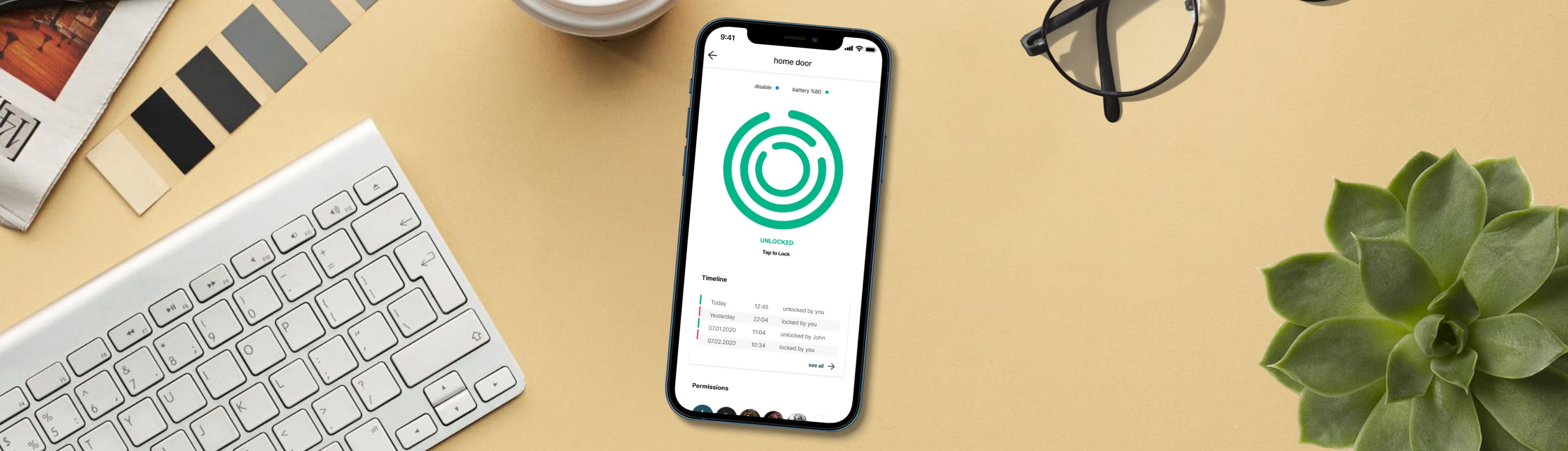
Multiple Smart Lock App

Timeline
2018 - 2020
Client
Onlock
Platform
Mobile application for iOS, Android
My Role
UI/UX Designer – responsible for app, website, and brand materials
How It Started
Three friends went on a holiday and rented an apartment through a vacation platform. On the first day, they had to wait outside because the host was late with the key. Later, they struggled to find the right key among many. This experience made them realize how inconvenient physical keys can be, especially when multiple people need access.
Onlock was born from this insight. Initially focused on door locks, the smart lock allowed users to unlock doors automatically, share access, and track usage. Over time, the product evolved to support other needs, like securing drawers and cabinets.
Defining User Requirements
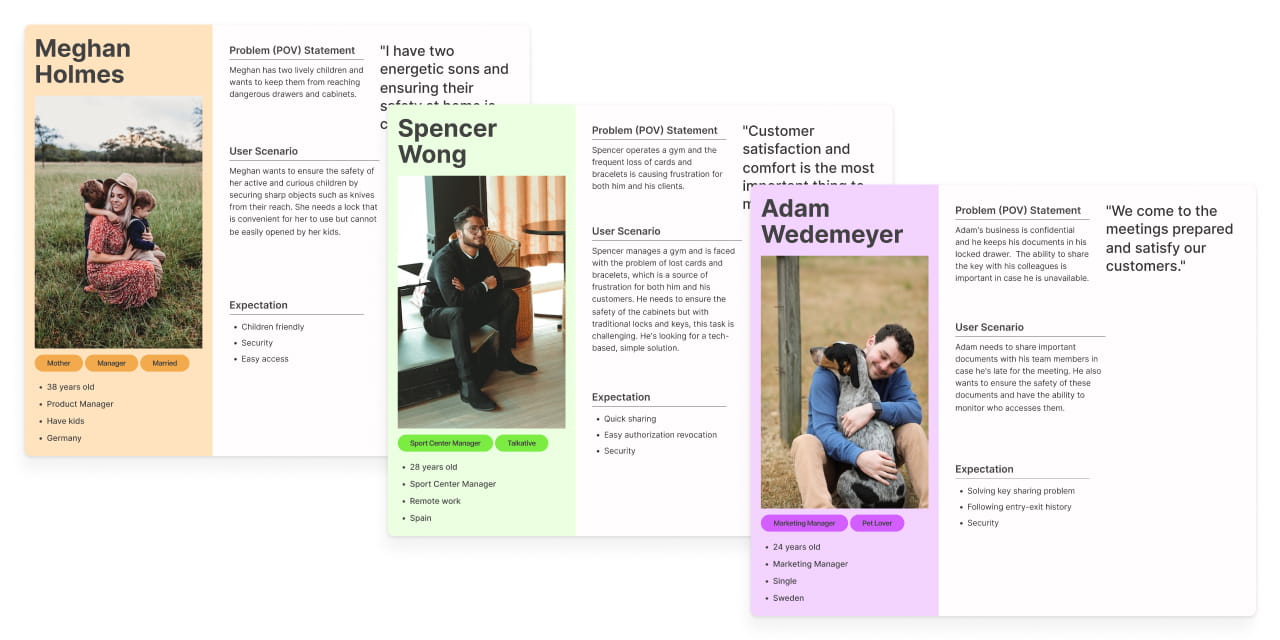
As Onlock expanded its product range, it became clear that users needed an efficient way to manage multiple smart locks. To better understand these needs, I conducted user research and developed detailed personas and scenarios, focusing on the drawer lock. This helped guide the redesign of the app interface to support different lock types smoothly.
For example, Jane stores important documents in her office drawer before a crucial client meeting. When unexpected traffic delays her arrival, she quickly shares temporary access with a trusted colleague via the Onlock app. This allows her colleague to retrieve the documents and ensure the meeting starts on time, avoiding any disruptions.
Designing a Clear User Journey
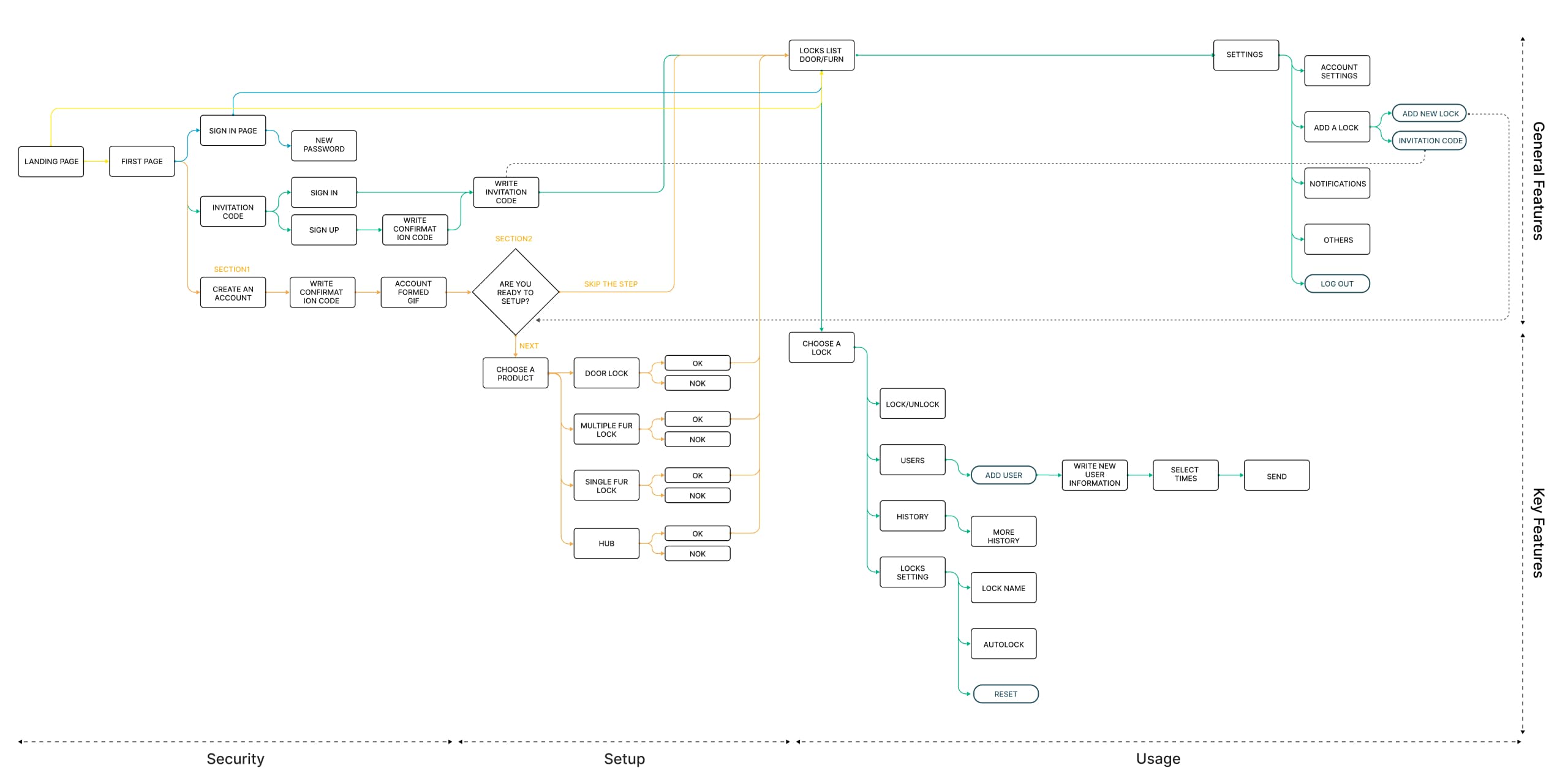
The Onlock app consists of three main sections: product setup, usage, and security settings. Users manage three different types of smart locks, door locks, furniture locks, and hubs all within a single application. To simplify the user experience and avoid confusion, I designed a clear hierarchical flow inside the app, guiding users step-by-step through account creation, device setup, and daily lock management.
Sketching the User Flow
After defining user profiles, scenarios, and mapping the user flow, I created low-fidelity prototypes to visualize the basic structure and navigation of the app. This approach allowed quick iteration, early feedback, and a clearer understanding of the overall user experience before moving into detailed design.
Visualizing the App
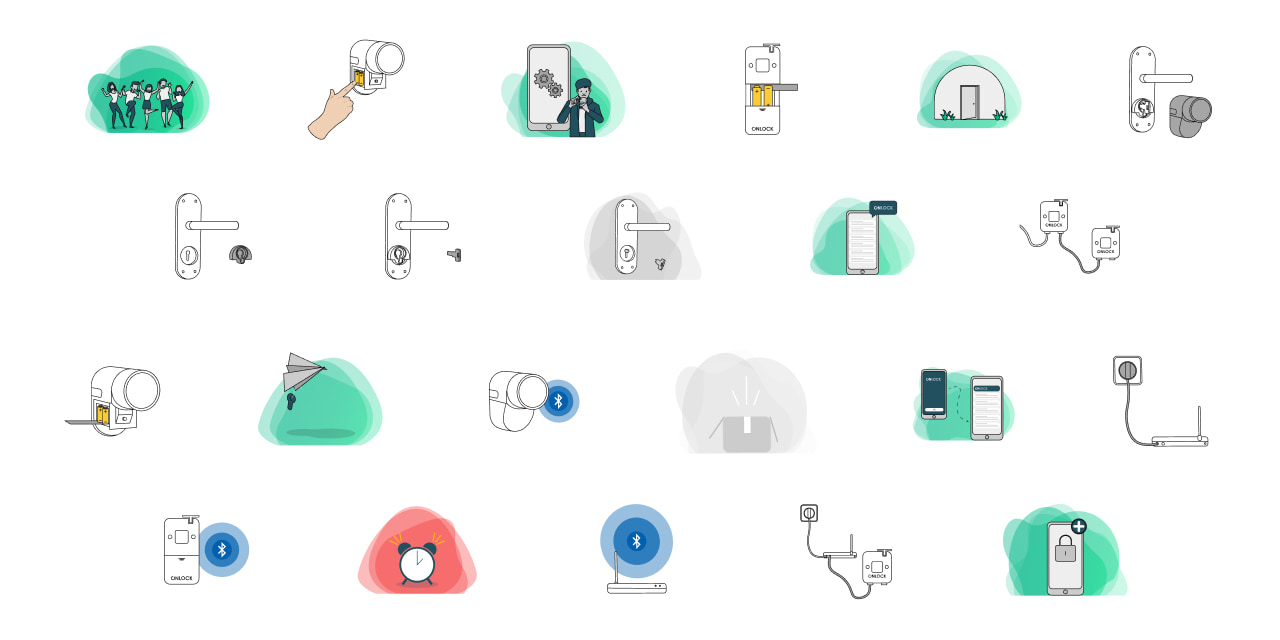
The product gradually took shape as components and illustrations started to finalize. To keep the feature setup clear and simple, I created all steps into a flow and created a 2D animations to visualize the process.
Design Solutions

Clear Setup Guidance for Each Product

Onlock offers four different products including a door lock, single furniture lock, multiple furniture lock and a hub. Each product comes with specific installation steps. To make the process simple and user friendly, I created clear step-by-step instructions supported by visual animations that guide users through each stage.

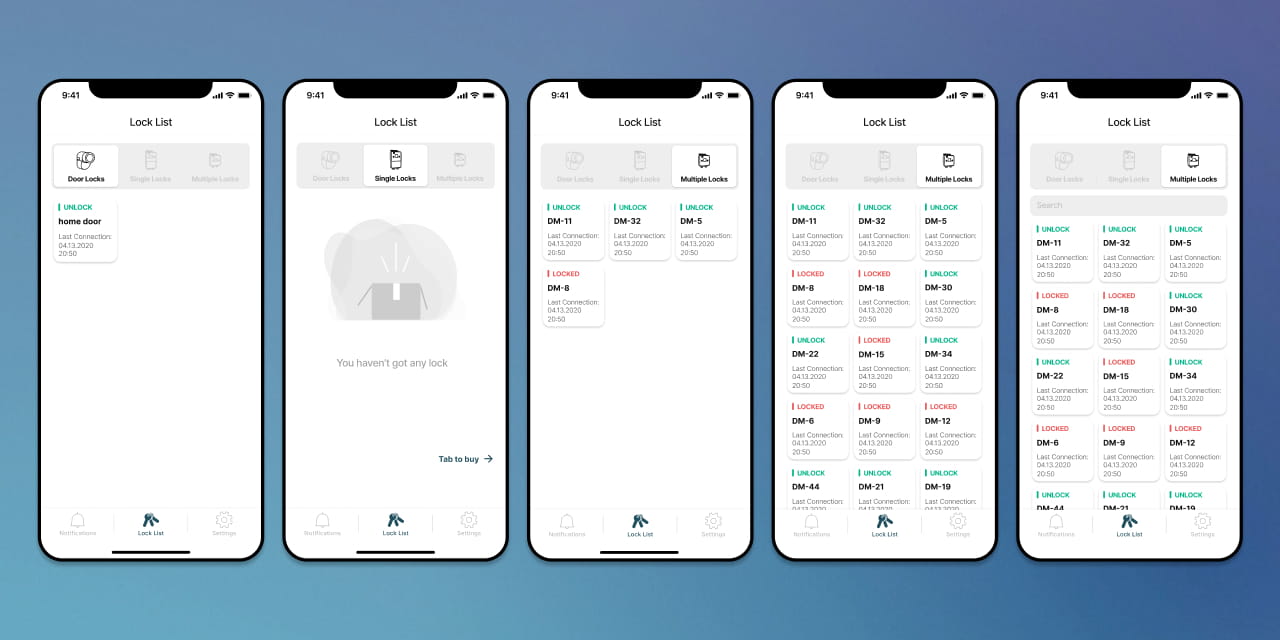
Organized Interface by Product Type

To improve navigation across different devices, the application interface was structured using tabs for each product category. I created a clear hierarchy by grouping related features such as lock information, access permissions, and activity timeline under each lock type. This helped users find and manage settings more efficiently.

Flexible Access Permissions for Different Scenarios

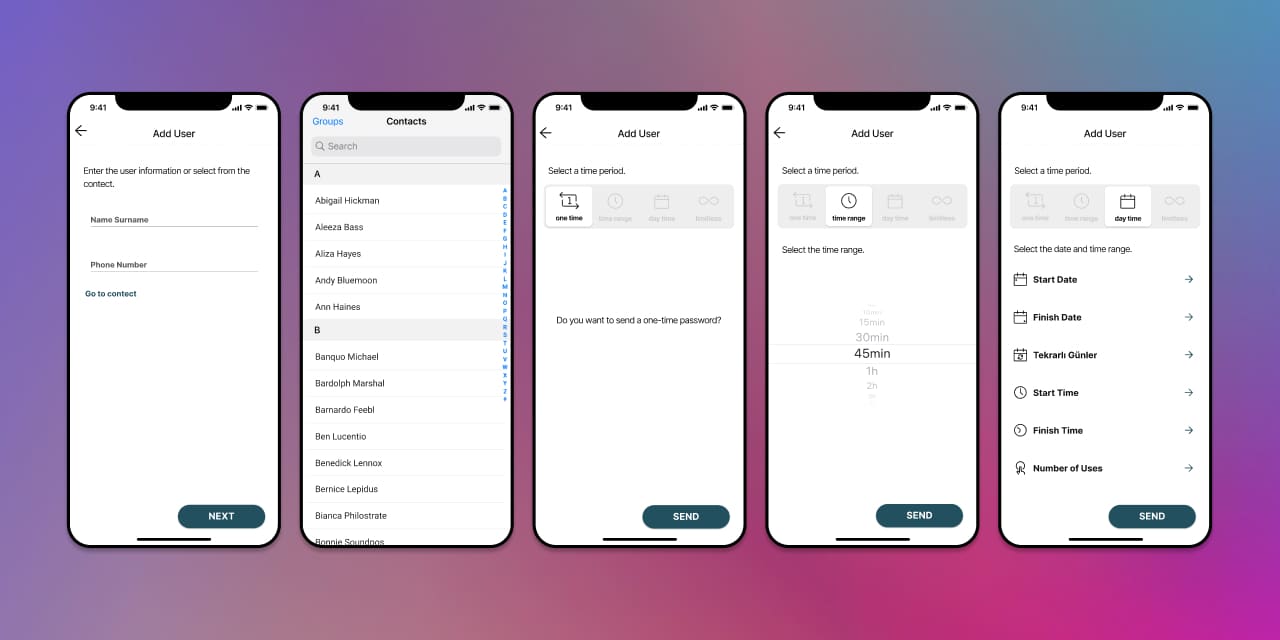
Permissions were designed to support a variety of real-life use cases. Users can share access to their locks for a one-time entry, specific hours, selected days, or with no time limit. They also have the option to set a usage count. These features were developed based on identified user scenarios to ensure the system accommodates diverse needs.

Final Design
trueyogi final design trueyogi final design