
×
Zoomed image
Click to zoom • Drag when zoomed • Press ESC to close
trueyogi hero image

Smart Home Camera

Timeline
2020
Client
Homeye
Platform
iOS
My Role
UX/UI Designer, Researcher, and Interaction Designer
Overview
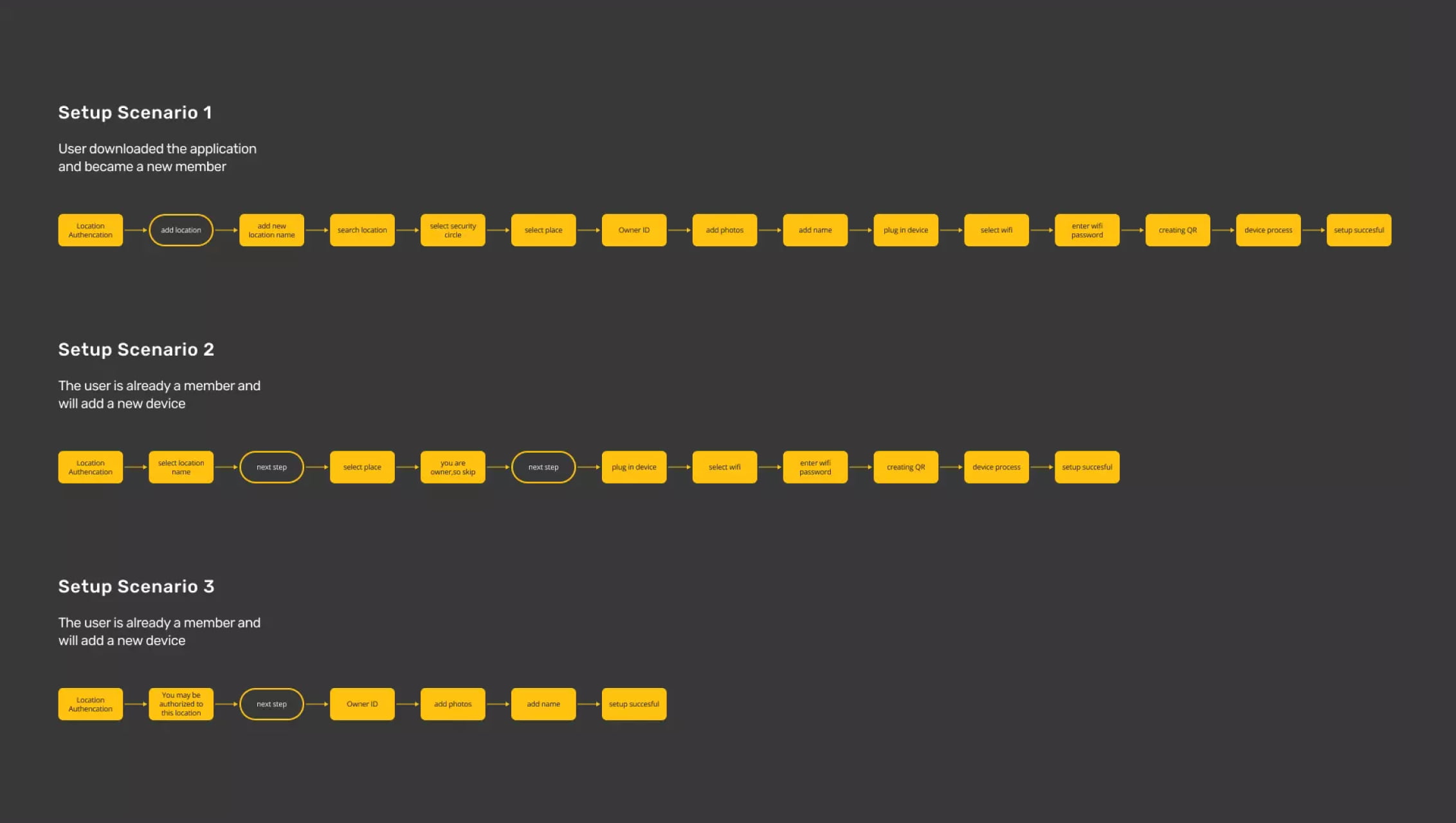
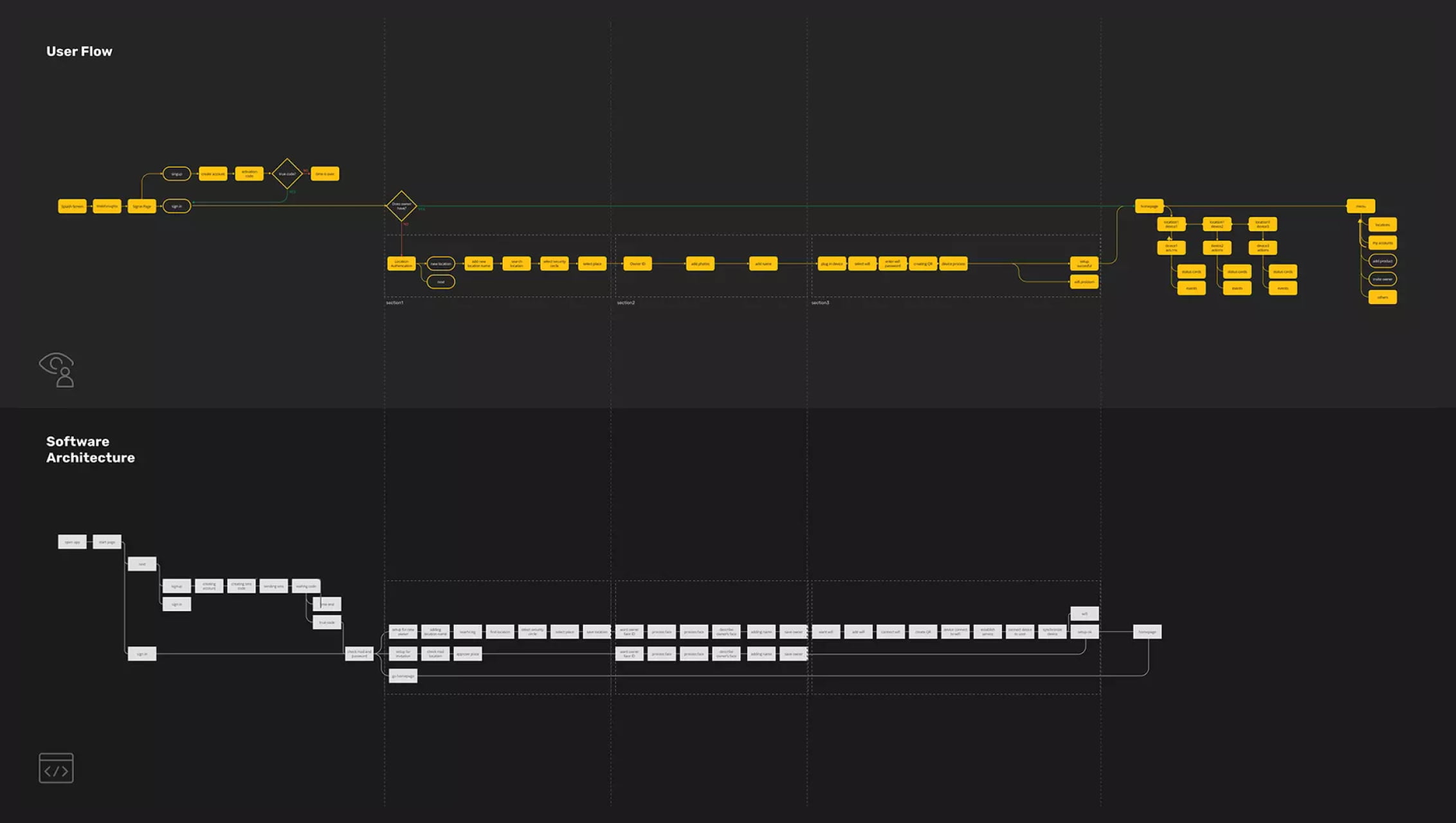
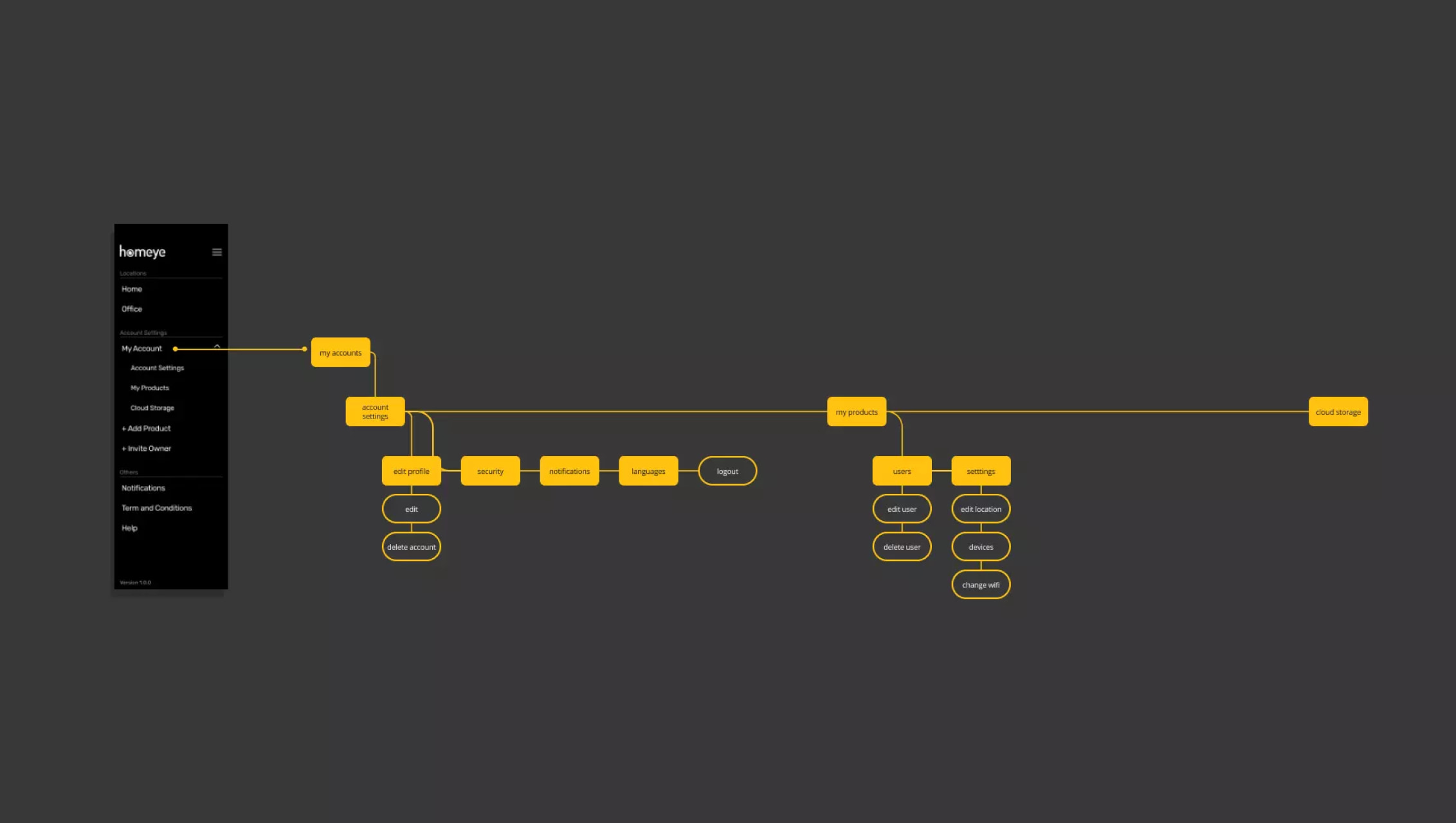
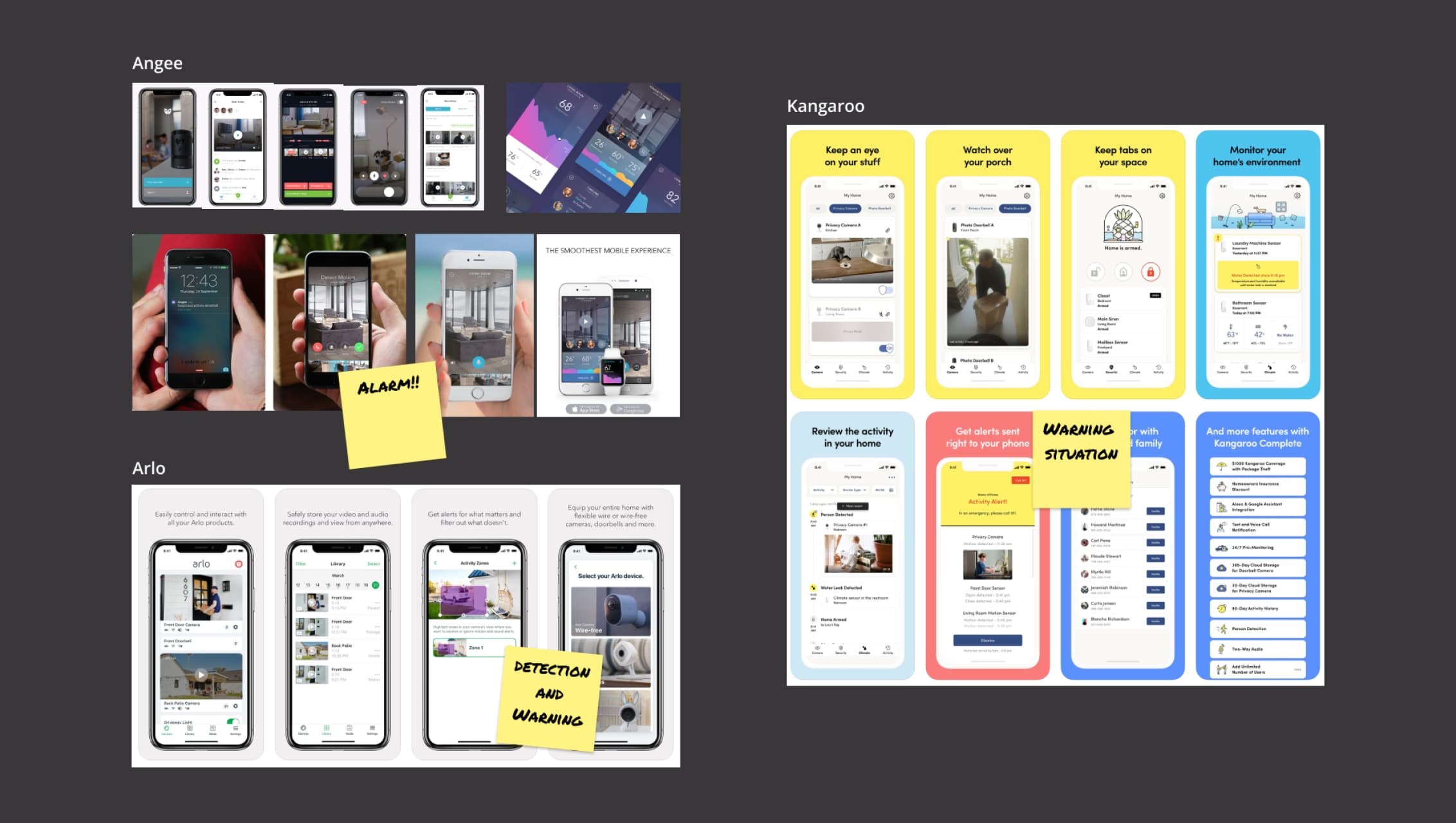
Homeye is a startup developing a smart home security camera system. Since the product was in its early stage with no user base, the process began with competitive research on leading security camera apps such as Angee, Kangaroo, Arlo, Body Guard, Nest, and Canary. These insights guided the creation of user flows, software architecture, and key scenarios for the app experience.
Research & Insights
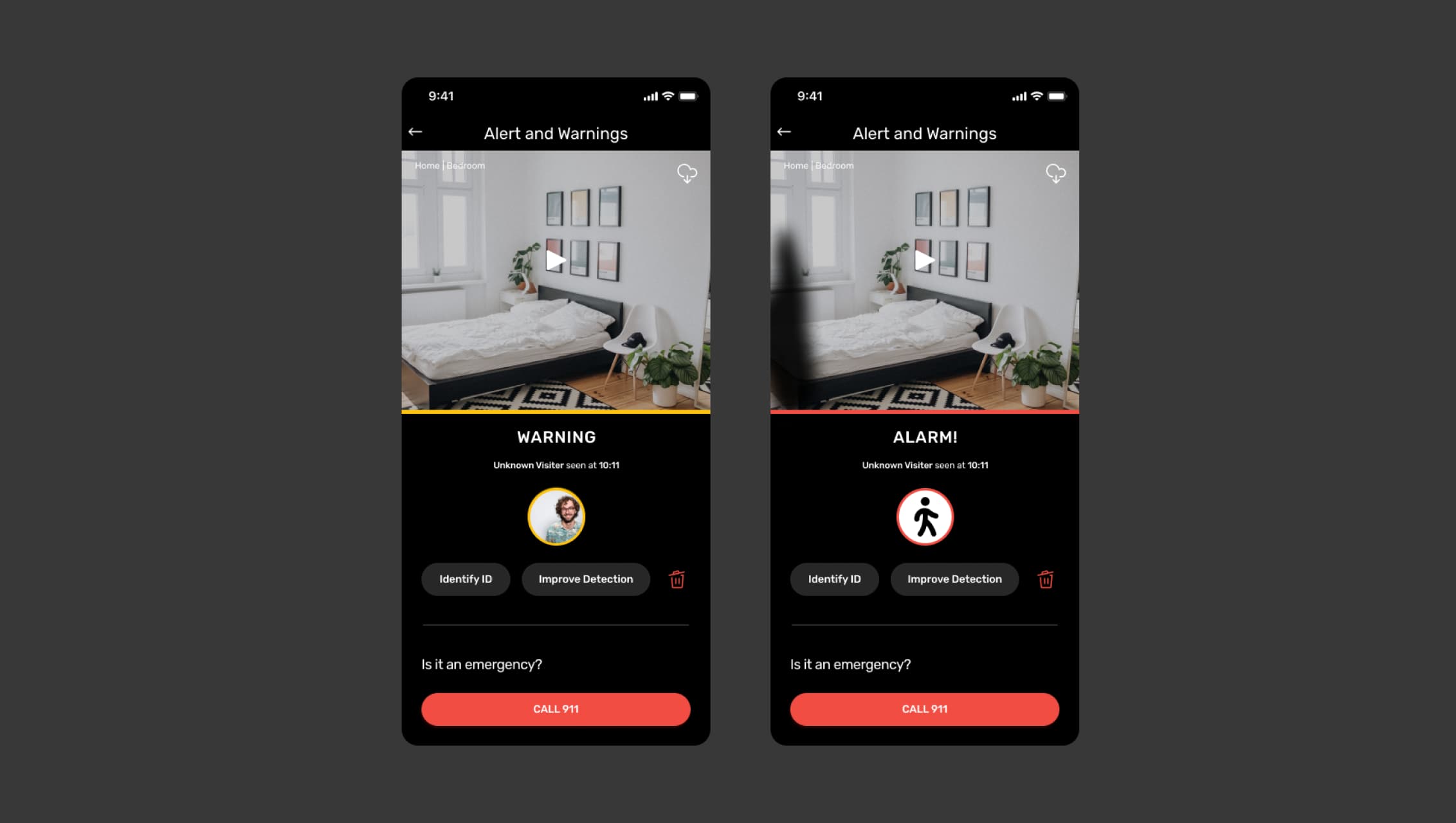
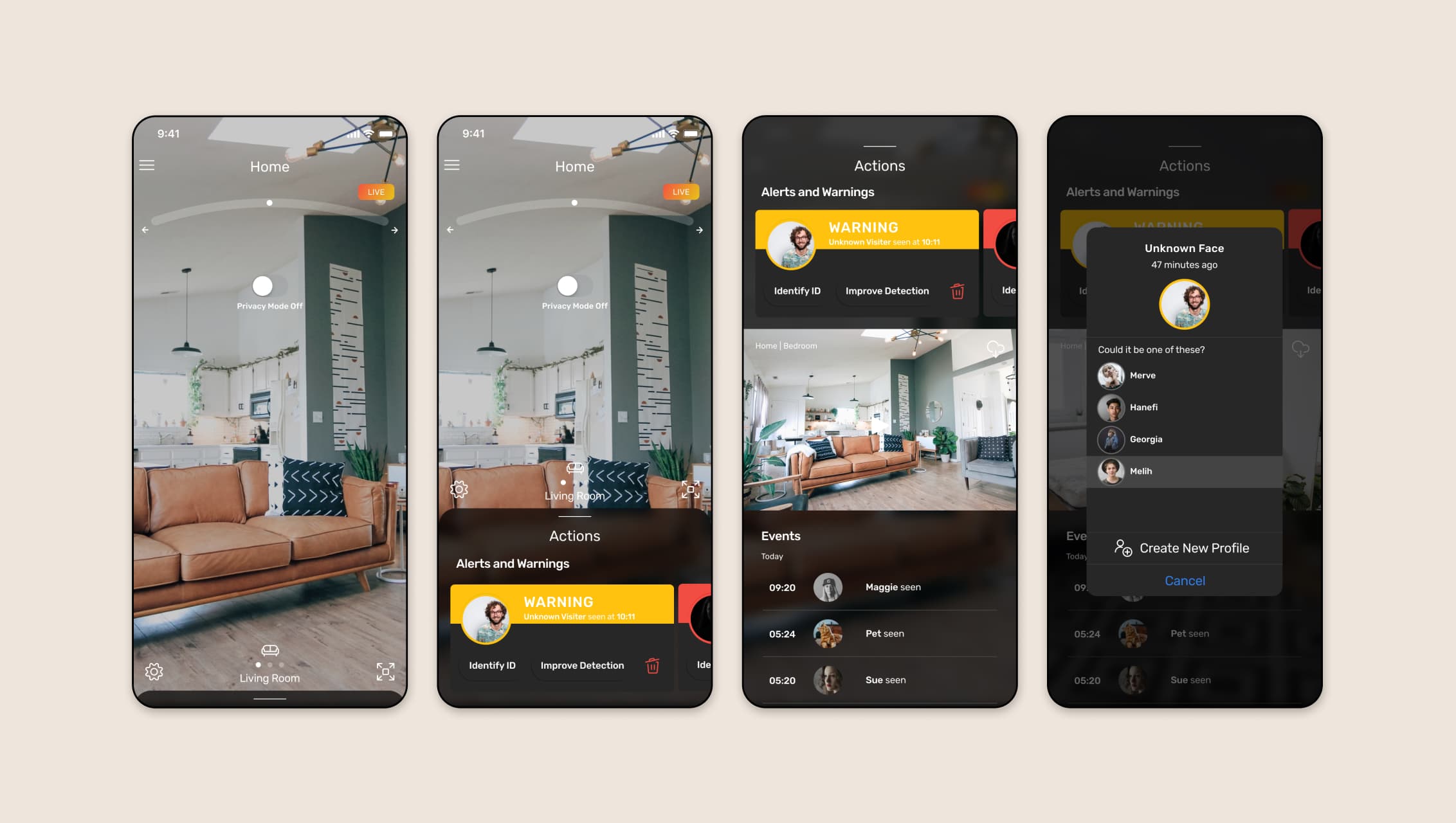
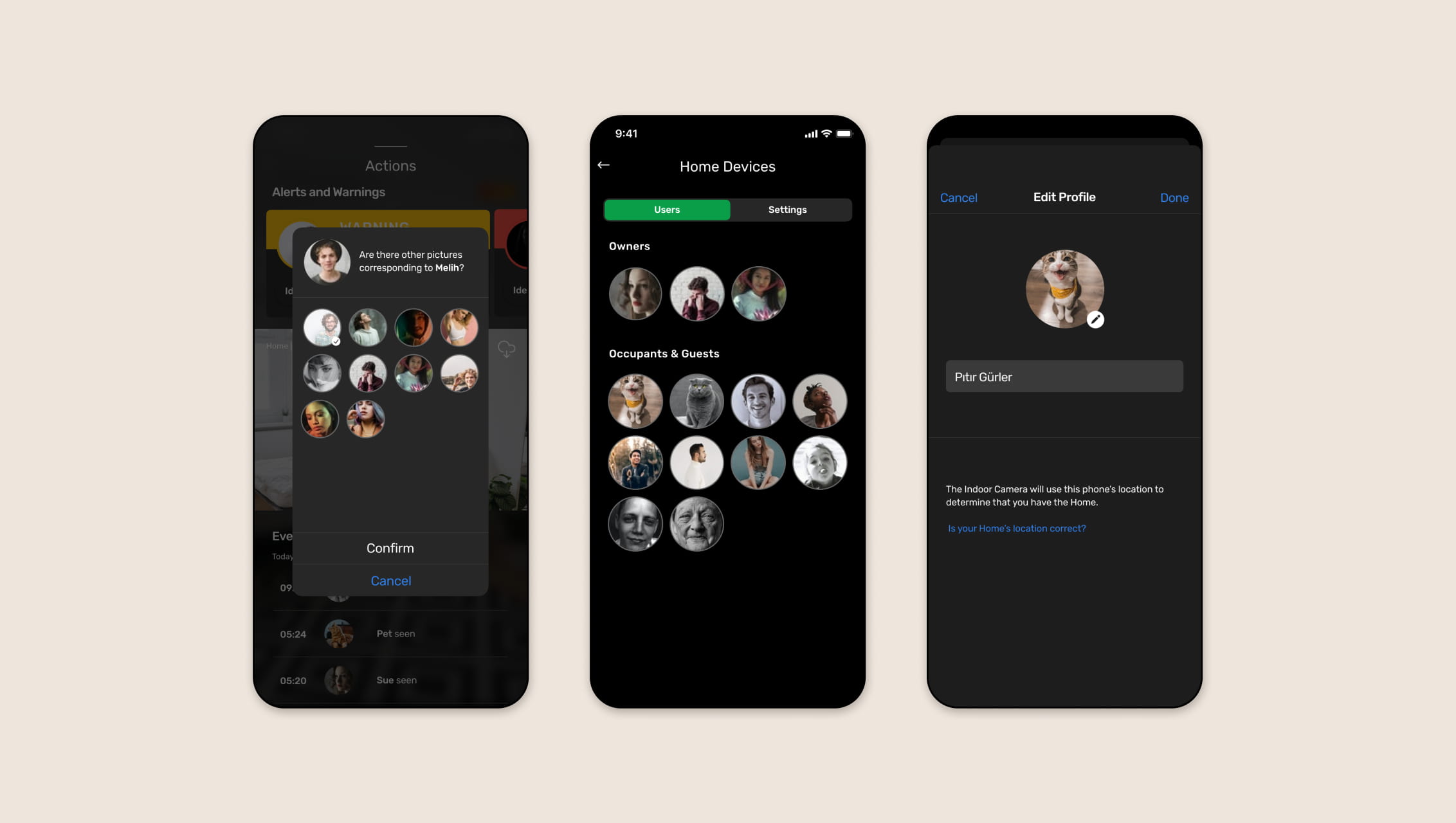
The research revealed three essential features for the application: recognition, saving, and warning. The camera detects motion, distinguishes between living and non-living entities, and notifies users when activity occurs. Users can register familiar individuals so that they’re no longer flagged as potential threats.
Based on these findings, I developed user scenarios, detailed user flows, and a service blueprint to visualize how users interact with the system at every stage. During testing, it became clear that users struggled to respond quickly to warning, especially in urgent moments where fast decisions were critical.
Persona 1
Persona 2
Final Design Solutions
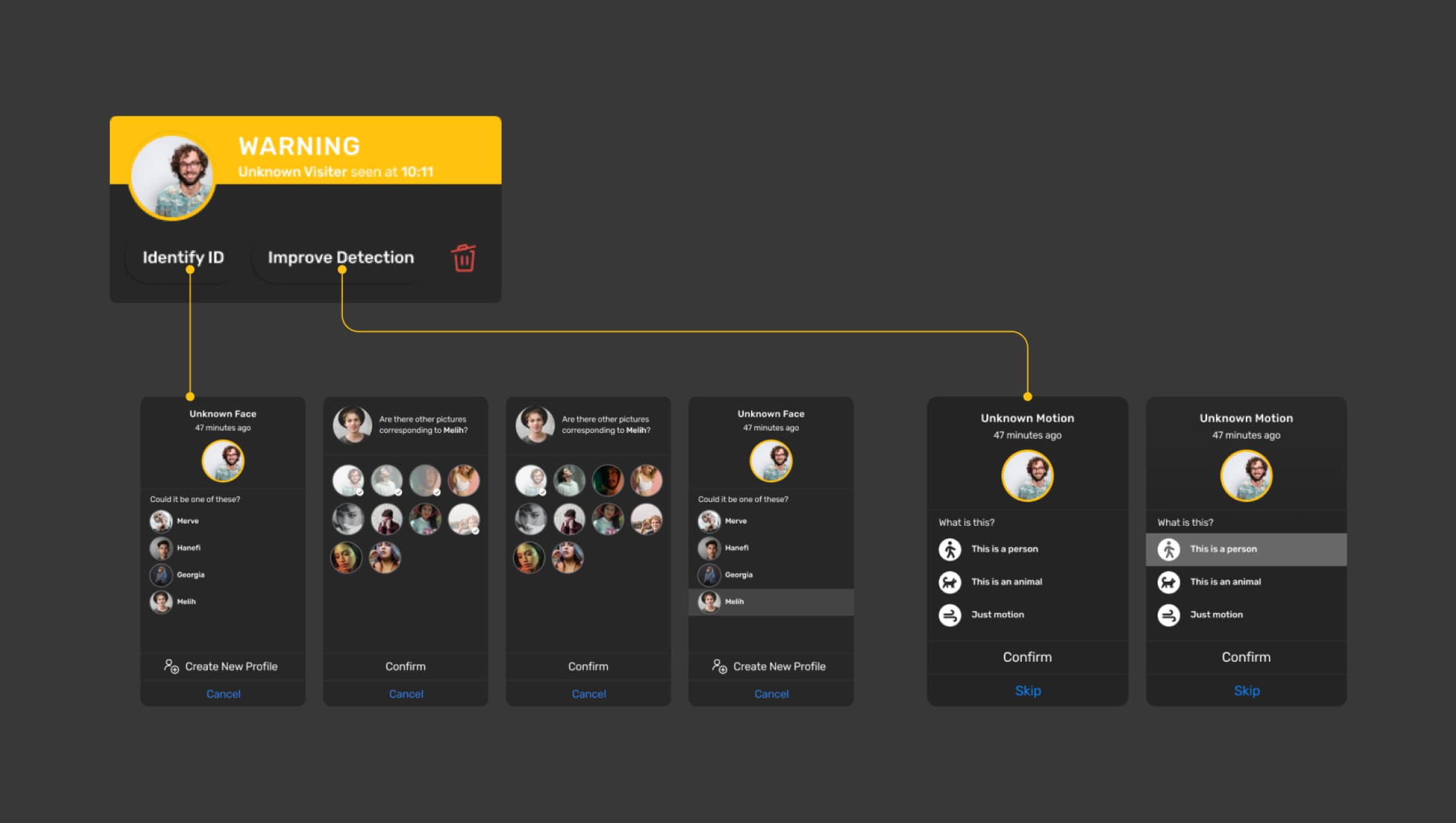
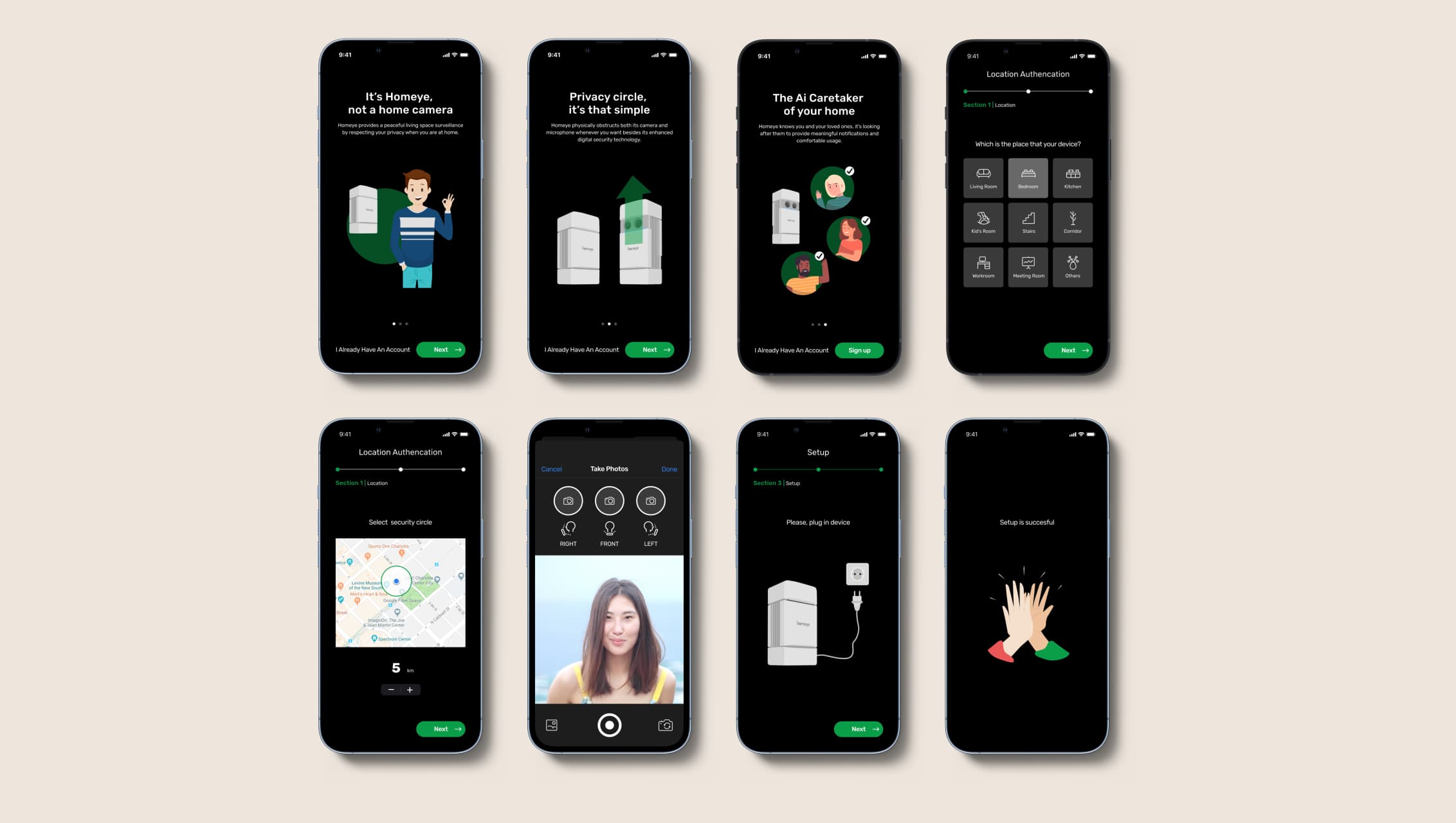
To simplify complex interactions and enhance user trust, the motion alerts were grouped into clear categories: person, animal, and general movement. Users can assign identities to familiar individuals, enabling the AI to reduce unnecessary alerts over time and focus on true detections.


The camera interface was designed to be minimal and intuitive, with basic gestures for smooth transitions and easy control. Users can view the environment at a wide 120-degree angle and adjust the camera seamlessly.
I focused on consistency, clarity, and usability to create a calm, intuitive interface that makes smart home monitoring simple and reliable.
Persona 1
Persona 2
Persona 2